

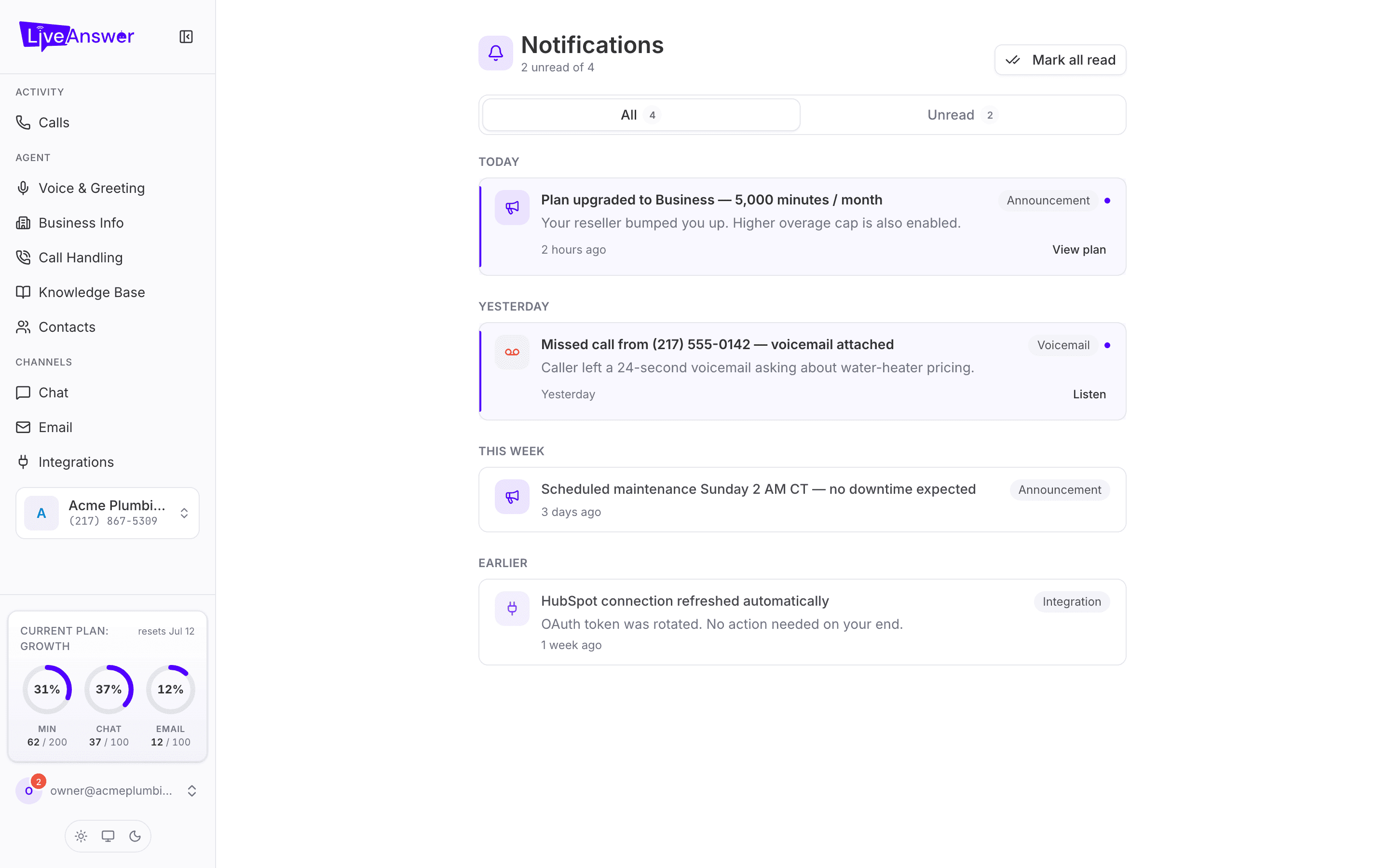
Notifications is your inbox for things that need your attention or that you'd want to know about: missed calls with voicemails, plan changes, service announcements, and updates about connected tools.
Where to find them
Click your account at the bottom of the sidebar. A red badge on it shows how many are unread. The Notifications page lists everything, grouped by Today, Yesterday, This week, and Earlier.
What you'll receive
| Type | Examples |
|---|---|
| Voicemail | A caller left a message. Click Listen to hear it. |
| Announcement | Your plan was changed, planned maintenance, new features. |
| Integration | A connected tool reconnected or needs attention. |
Some notifications have a quick action on the right, such as View plan or Listen.
Keeping it tidy
- Switch between All and Unread with the tabs at the top.
- Opening a notification marks it read. Unread ones have a coloured bar on the left and a dot on the right.
- Mark all read clears the badge in one click.
Note: Notifications appear in the portal only. Check the badge when you sign in, especially after a busy weekend, to catch voicemails you might otherwise miss.