

This guide provides a comprehensive walkthrough of the EvoTech Sentinel process. You will learn how to set up and maximize the Call Insights dashboard to improve call quality and system efficiency within your HostedSuite environment.
What is Sentinel in EvoVoice?
Sentinel is an advanced monitoring and reporting process that enhances call system reliability, call quality, and overall performance. It combines AI with EvoVoice to provide real-time analytics and call summaries, ensuring the system aligns with your organization’s standards. The main dashboard features AI Call Insights for comprehensive monitoring.
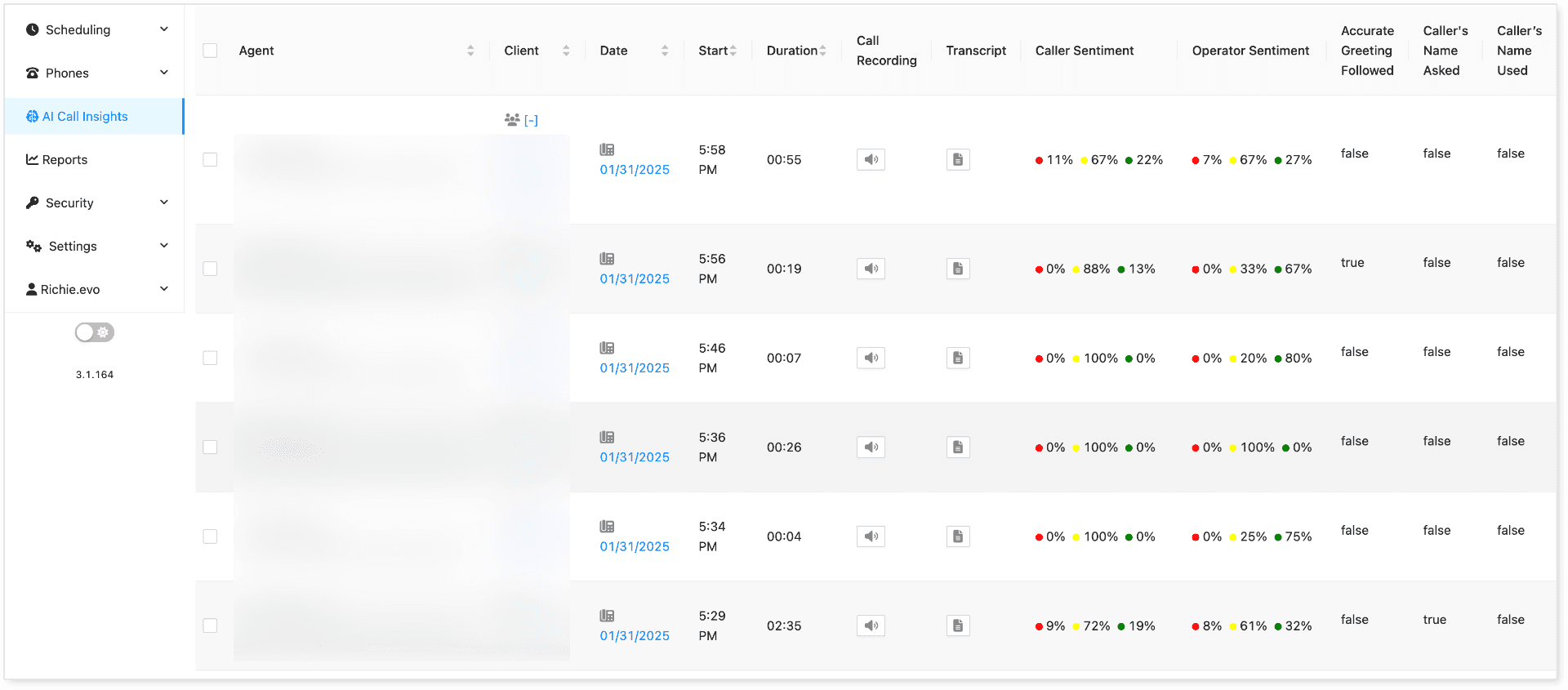
How Sentinel Helps Clients
-
Call Recording – AI Insights records every call within the organization. You can specify which clients will have call insights activated.
-
Customizable Monitoring Parameters – AI-driven insights allow for fully customizable monitoring based on organizational needs.
-
Reporting – Generate and export reports based on AI Call Insights data.
-
Flexible Data Types – Supports multiple data types, including text, numbers, Boolean values, lists, and percentages, to enhance call quality analysis. Learn more here.
Key Reasons for QA in Voice Systems
Implementing Quality Assurance (QA) ensures consistent and high-quality customer interactions that align with company standards and customer expectations.
-
Customer Satisfaction – Ensures agents provide clear, professional, and helpful support.
-
Compliance & Security – Maintains adherence to company policies, industry regulations, and data protection laws.
-
Agent Performance Monitoring – Identifies training needs and areas for improvement.
-
Call Resolution Efficiency – Helps reduce call handling times and improve first-call resolution rates.
-
Service Standardization – Ensures all customers receive a uniform experience.
-
Error & Issue Detection – Identifies customer pain points and operational bottlenecks.
-
Fraud Prevention & Call Monitoring – Detects suspicious activities or improper handling of customer data.
Built-in Features of AI Insights Dashboard
The AI Insights dashboard provides several pre-built features to enhance call monitoring. You can expand more metrics by adding custom fields based on your requirements. You can check this GUIDE on how to create custom fields.
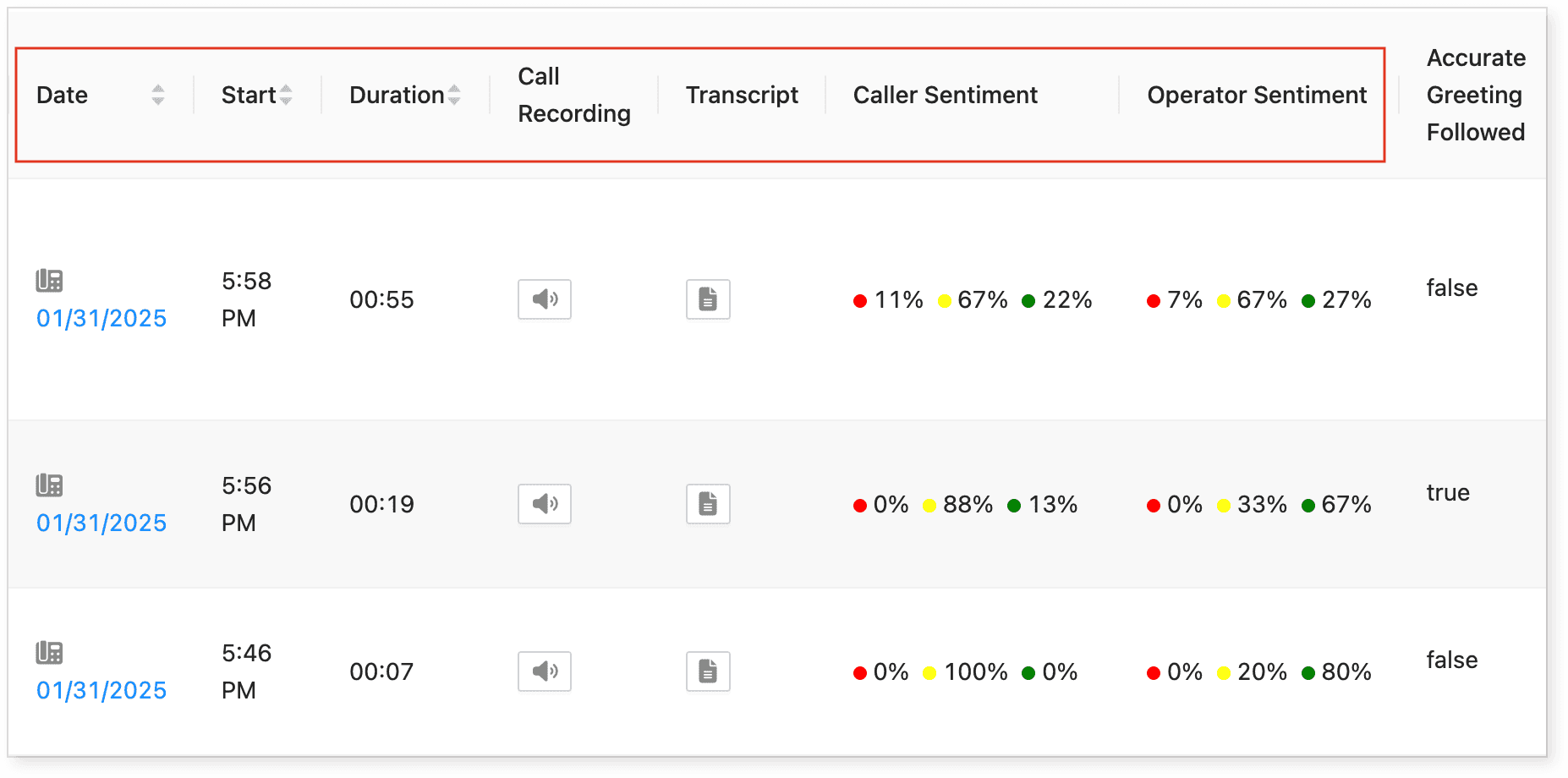
| Feature | Description |
|---|---|
| Agent | Displays the name and email of the agent who received the call. |
| Client | Shows the name of the client the caller is contacting. |
| Date | Displays the call date based on the client’s timezone. |
| Start Time | Indicates when the call was received. |
| Duration | Shows the call length in mm**:ss** format. |
| Call Recording | Provides an audio file for playback. |
| Transcript | Displays a text transcript of the call. |
| Caller Sentiment | Shows a percentage breakdown of caller sentiment (negative, neutral, positive). |
| Operator Sentiment | Shows a percentage breakdown of agent sentiment (negative, neutral, positive). |
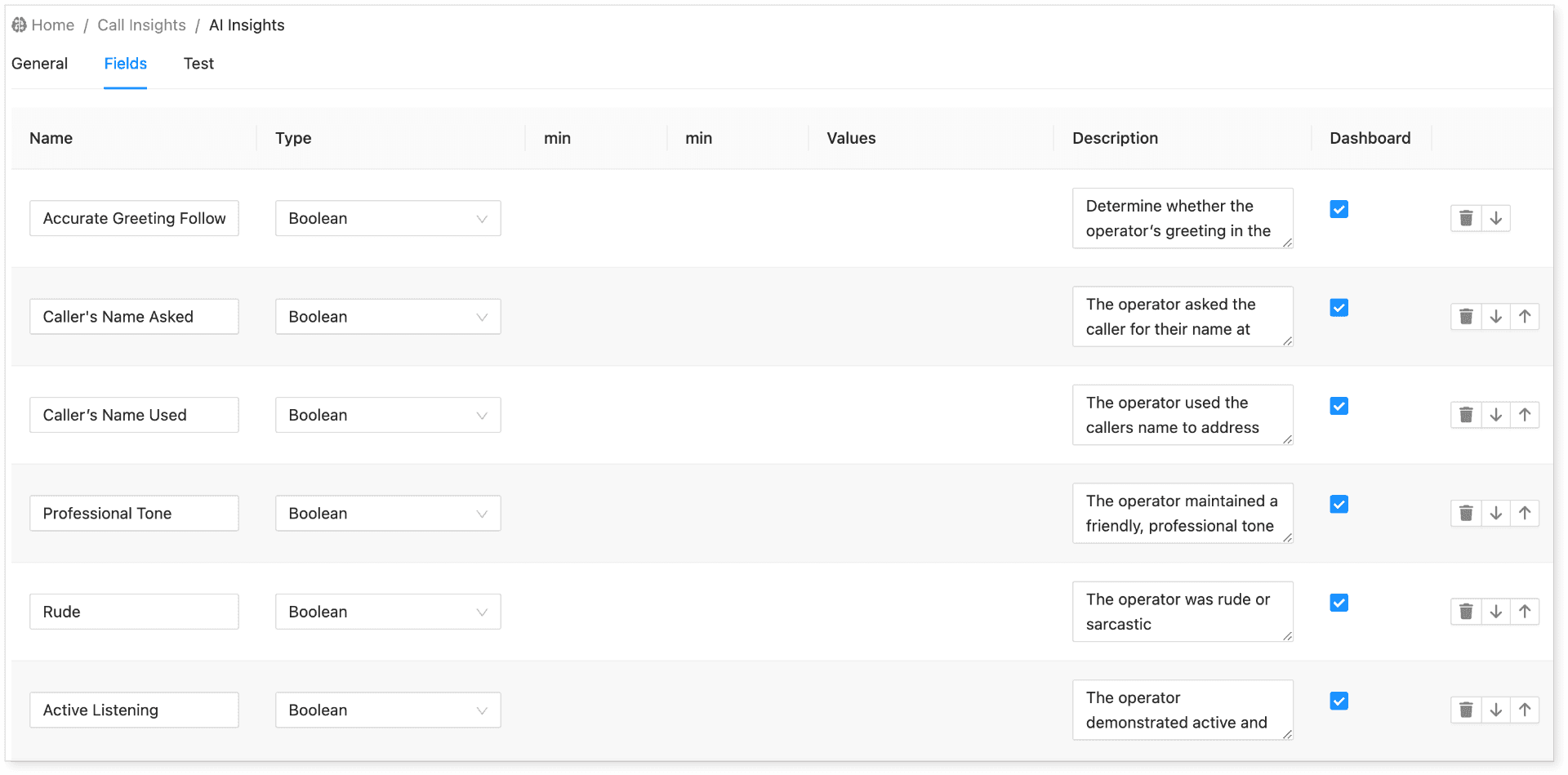
Building Custom Fields
Beyond the built-in features, organizations can customize call metrics to fit specific needs. Learn more here.
Call Recording and Transcript Review
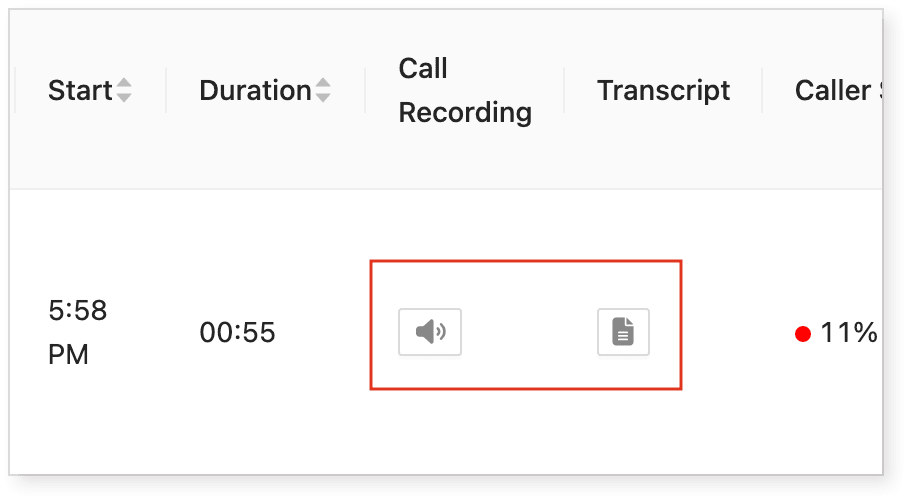
Every recorded call includes an option for reviewing the audio and transcript:
-
Click the audio icon to replay a recording.
-
Click the transcript button to view the call transcript.
AI Insights Dashboard & Export Options
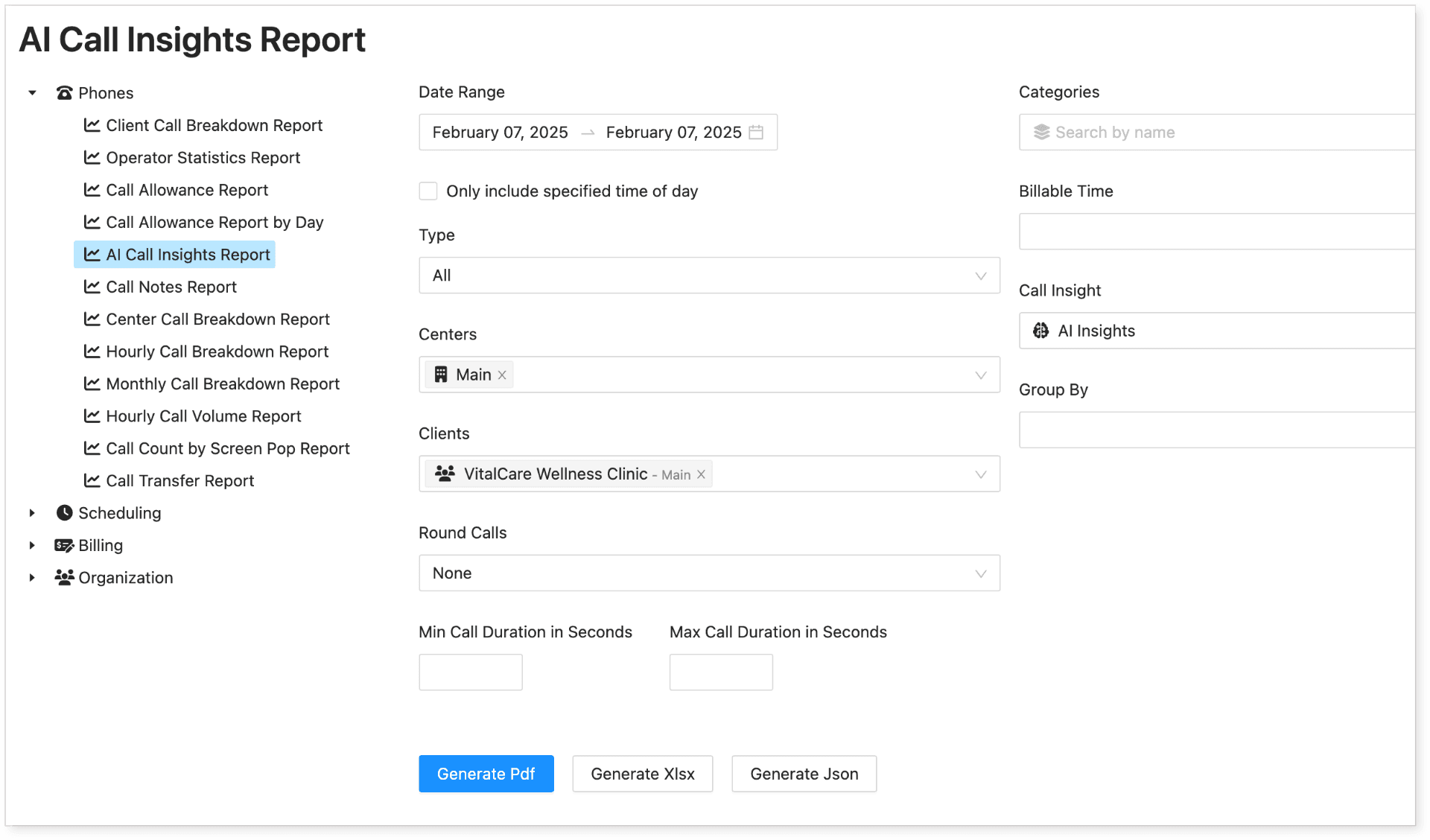
Once set up, AI Insights data is available in real time. To export reports:
-
Navigate to Reports > AI Call Insights Report.
-
Customize the data fields.
-
Export reports for further analysis.
The report also includes aggregated data, which is generated based on the options selected during the export process.
Here’s an example of an exported report:
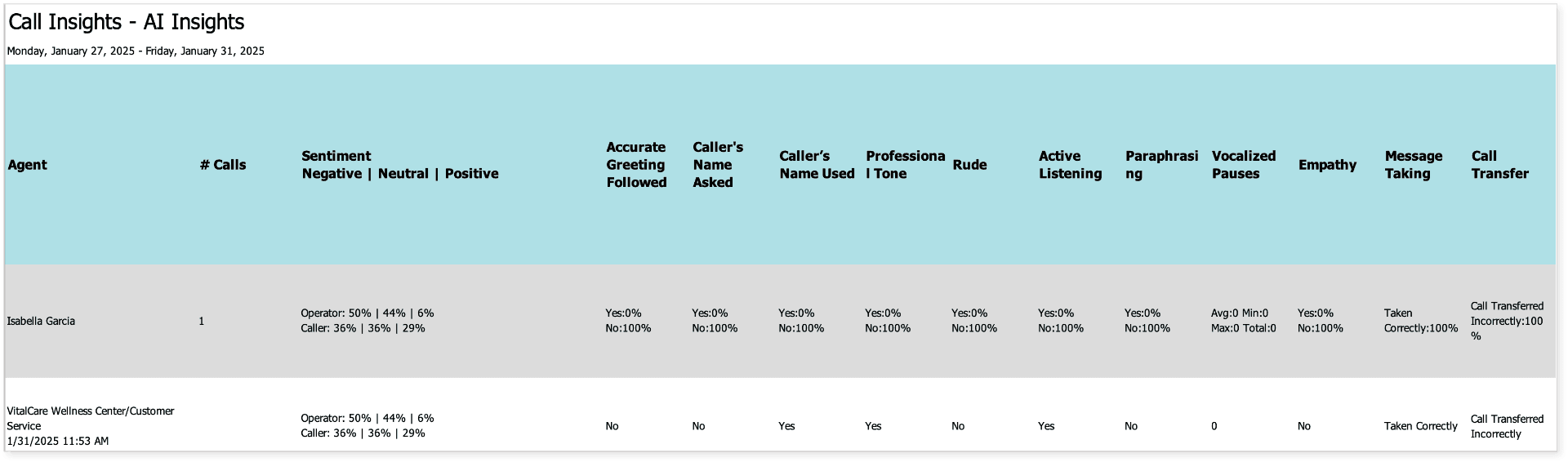
For a complete guide on reporting options, click HERE.
Integrating Call Insights with EvoVoice
To enable Call Insights, a recorded audio file must be processed by AI. Once analyzed, the data is pushed to the client’s HostedSuite account. Setup Guide.