

Billing covers how you pay LiveAnswer and, if you sell online, how you get paid. What you see here depends on the billing mode LiveAnswer set up for your account.
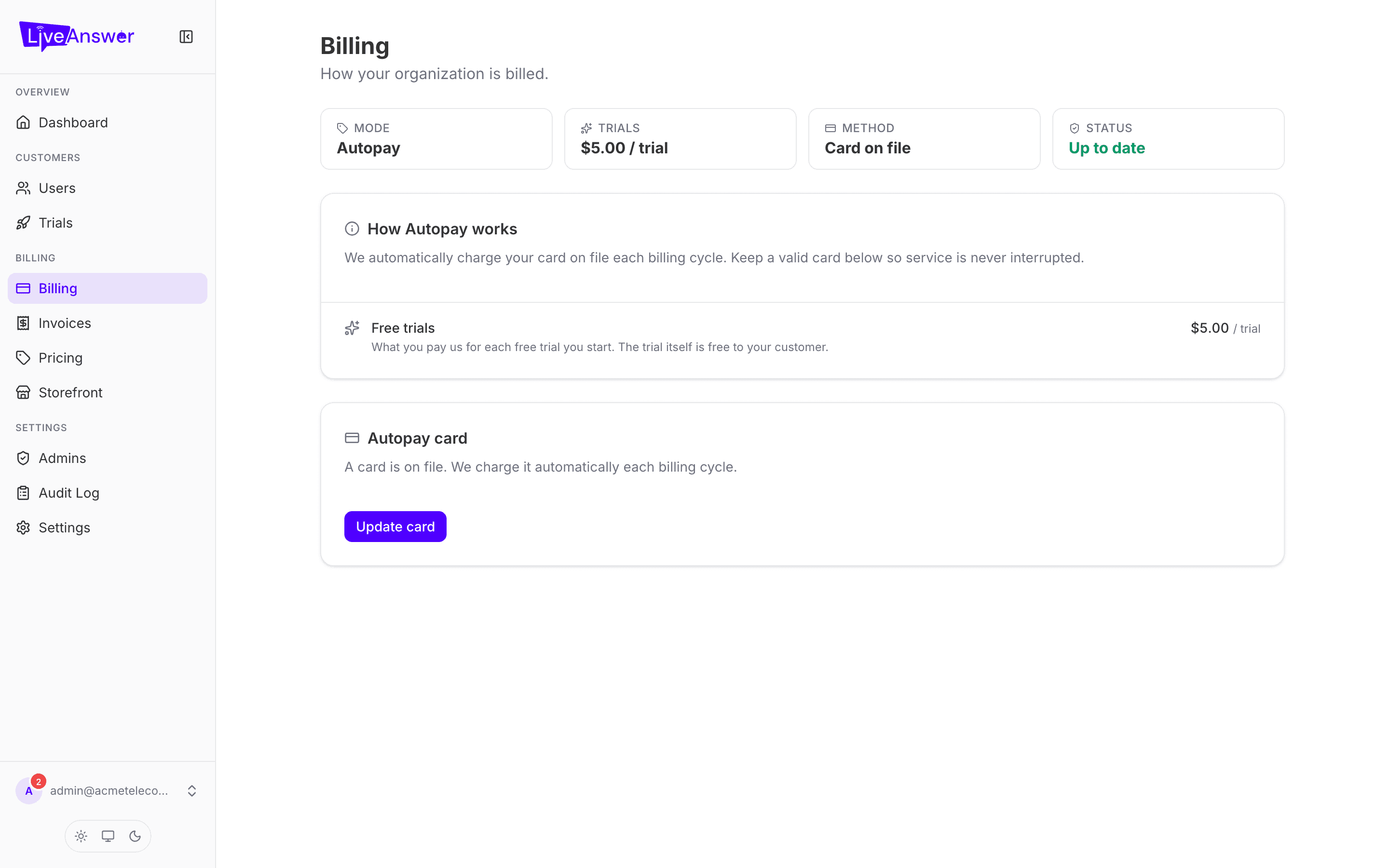
Your billing mode
The first card names your mode and explains it in a sentence. There are four:
| Mode | How you pay LiveAnswer | How your customers pay you |
|---|---|---|
| Invoice | We send you a monthly invoice. You pay it manually. | Off-platform — you invoice them yourself. |
| Invoice + autopay | Same monthly invoice, charged automatically to your card on file. | Off-platform. |
| Stripe Connect | Nothing to pay manually. Your customers' card payments run through Stripe; LiveAnswer keeps its share and pays the rest to you. | By card, on your storefront or in their portal. |
| House store | Customers pay LiveAnswer directly by card; you're paid your margin. | By card. |
Note: Your billing mode is set by LiveAnswer when your account is created. To change it, contact your account manager.
Autopay card (Invoice + autopay)
If you're on autopay, the Autopay card section shows whether a card is on file. Click Add card or Update card and enter the card in the secure form.
The form is provided by Stripe and runs inside a secure frame. Your card number never touches LiveAnswer's systems — we only ever see the last four digits and the expiry.
If a payment fails
When an autopay charge is declined, a red Payment needed section appears here (and a banner on your dashboard). You have two options:
- Retry payment — try the card on file again. Use this if the decline was temporary (for example, a daily limit).
- Update card & pay — enter a new card and pay the outstanding amount in one step.
Your customers' service is not interrupted during the grace period, but the account is suspended if the invoice stays unpaid past it. Sort it out promptly.
Stripe Connect payouts
If you're on Stripe Connect, the Payouts section shows whether your connected account is ready. Two states:
- Not connected / Setup incomplete — click Set up payouts and complete Stripe's onboarding. You'll be asked for business details and a bank account. Until this is done, customer payments can't settle.
- Active — payouts are flowing. Refresh re-checks the status with Stripe.
Free trial fee
If trials are enabled for you, this card shows the per-trial fee LiveAnswer charges you each time a trial starts. It's a flat wholesale amount, set by LiveAnswer; $0 means trials cost you nothing.