

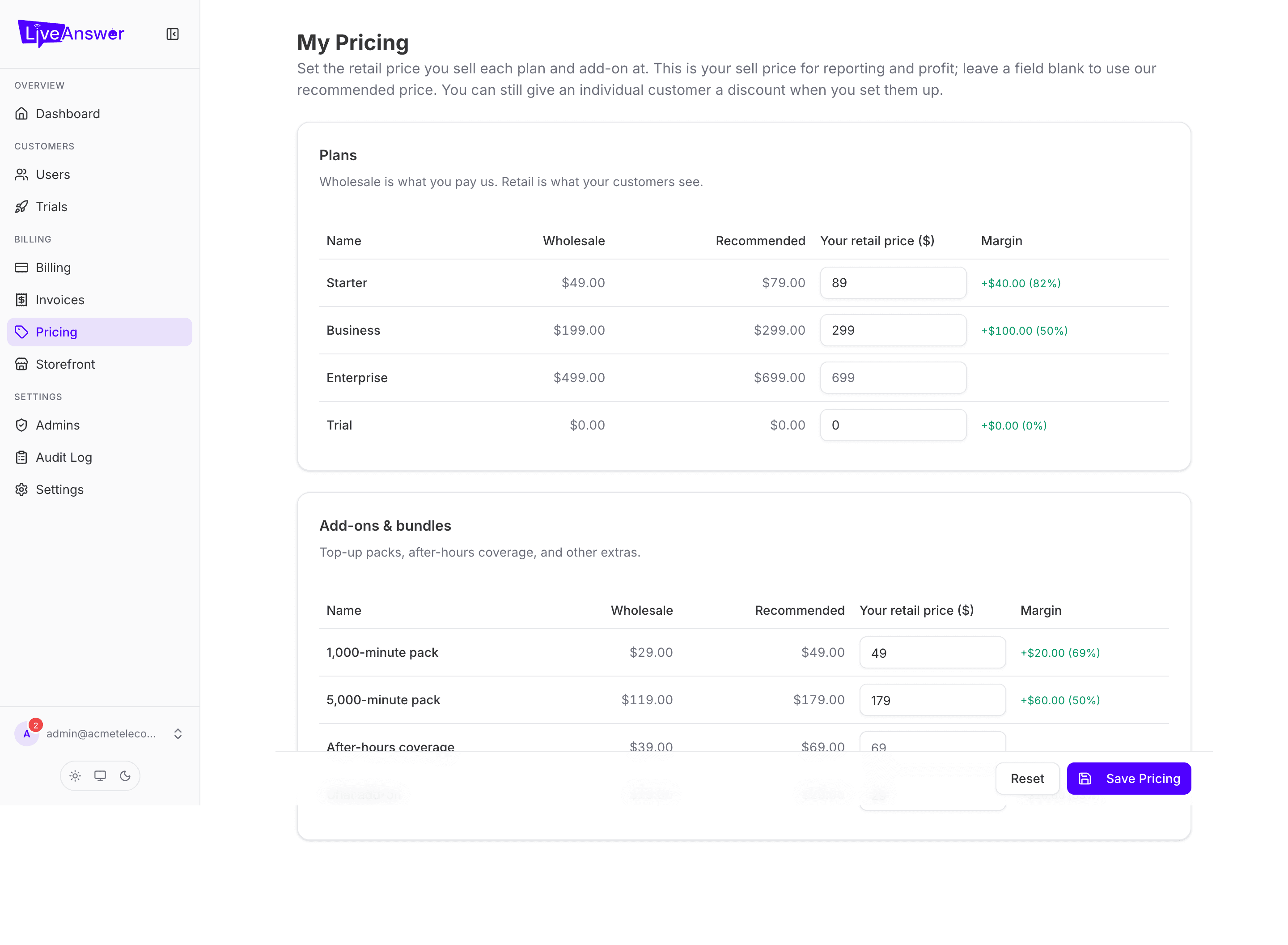
You decide what your customers pay. Pricing is where you set the retail price for every plan and add-on you offer. LiveAnswer's wholesale cost to you stays fixed; the difference is your margin.
How pricing works
Each plan and add-on has two numbers:
- Your cost — what LiveAnswer charges you per month. Set by LiveAnswer; you can't change it here.
- Your price — what your customer pays per month. This is yours to set.
Your customers only ever see your price. Wholesale costs are never shown to them anywhere — not in their portal, not on invoices, not on your storefront.
Changing a price
- Find the plan or add-on in the Plans or Add-ons & bundles card.
- Type the new monthly price in the price field.
- Click Save pricing. Changed Revert if you want to go back to the last saved values before saving.
Changes apply to new sign-ups and to existing customers at their next renewal. Nobody is charged mid-cycle because you changed a price.
Heads up: You can price a plan below your cost if you have a reason to (a promotion, a strategic account). The portal will show your margin going negative so it's a deliberate choice, not an accident. If your account uses Stripe Connect, prices can't go below wholesale — the field will tell you the minimum.
Discounts for one customer
Pricing here is your list price. If you want to give a single customer a special rate, do that from their detail page when you assign or change their plan — there's a Discount off retail field there. The list price stays the same for everyone else.