

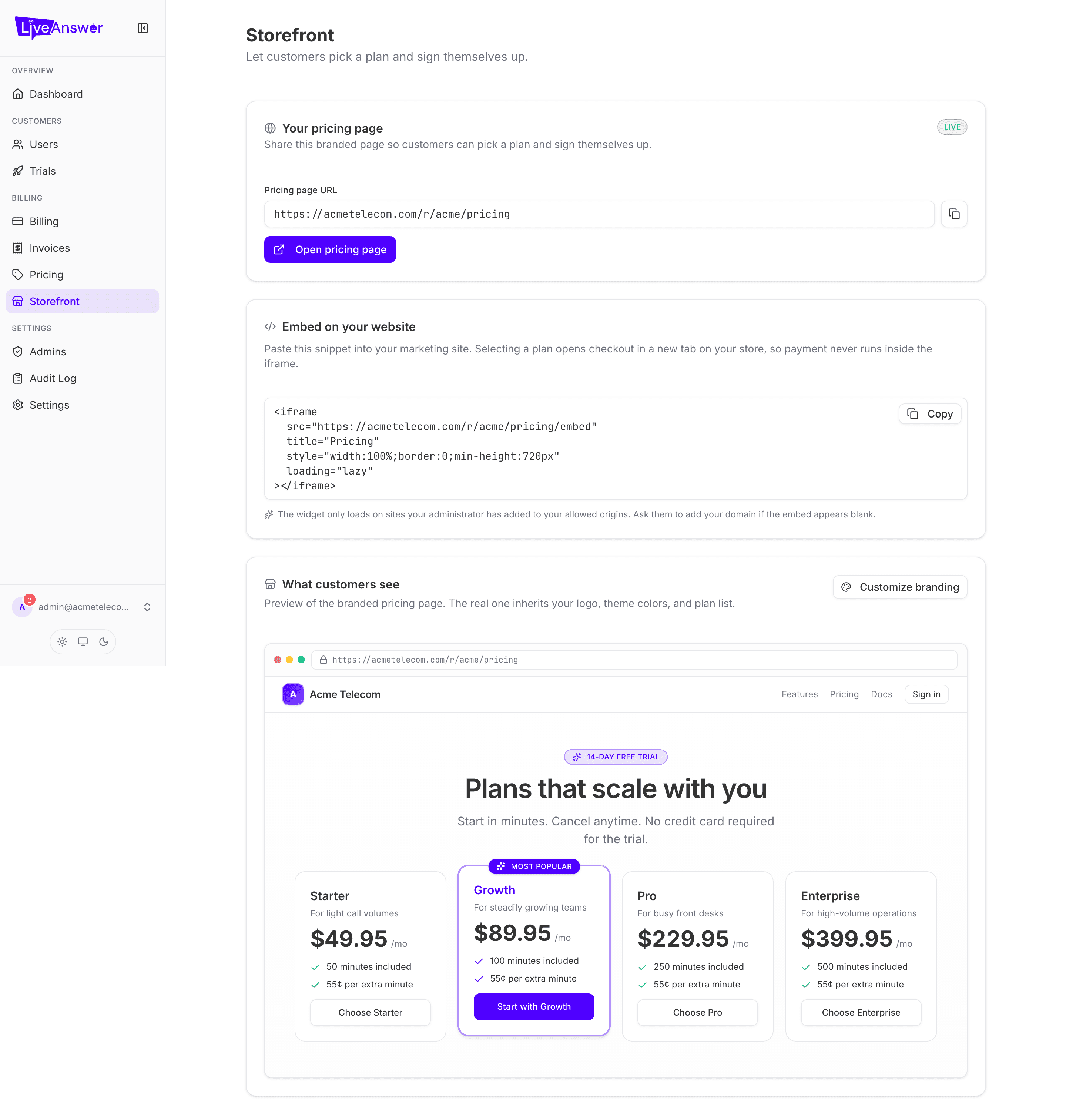
The storefront is a branded pricing page where prospects pick a plan and sign themselves up — no sales call, no manual account creation. It carries your logo and colours, lists your plans at your prices, and takes payment by card.
Note: The storefront needs card payments switched on for your account (Stripe Connect or a house store). If the page shows the storefront as unavailable, contact your LiveAnswer account manager.
Sharing your pricing page
The Your pricing page card shows the public address of your storefront, for example https://yourdomain.com/r/yourname/pricing.
- Click the copy icon to copy the link. Paste it into emails, social posts, or your website's "Pricing" menu item.
- Click Open pricing page to see exactly what a prospect sees.
Putting it on your own website
The Embed on your website card gives you a snippet of code. Paste it into any page on your marketing site and the plan cards appear inside your page. When a visitor chooses a plan, checkout opens in a new tab on your storefront — payment details never pass through your website.
If the embed shows up blank, your website's address hasn't been added to your allowed list yet. Ask your LiveAnswer account manager to add it.
What customers see
The What customers see card is a live preview of the storefront. It shows your logo, your colour theme, and your current plan list at your current prices. If you want to change how it looks, click Customize branding — that takes you to Settings → Branding.
What happens when someone signs up
- The prospect picks a plan and enters their details and card.
- Their account is created and their AI receptionist starts provisioning.
- They appear in your Users list, and on your Dashboard under Recent signups.
- You're notified. Their card is charged on your behalf and your margin is paid out through your connected Stripe account.
If your storefront offers a free trial, sign-ups start in trial and show under Trials until they convert.