

Most businesses have one AI receptionist. If yours has more than one, for example one per location or one per brand, the Agents page lets you switch which one you're managing.
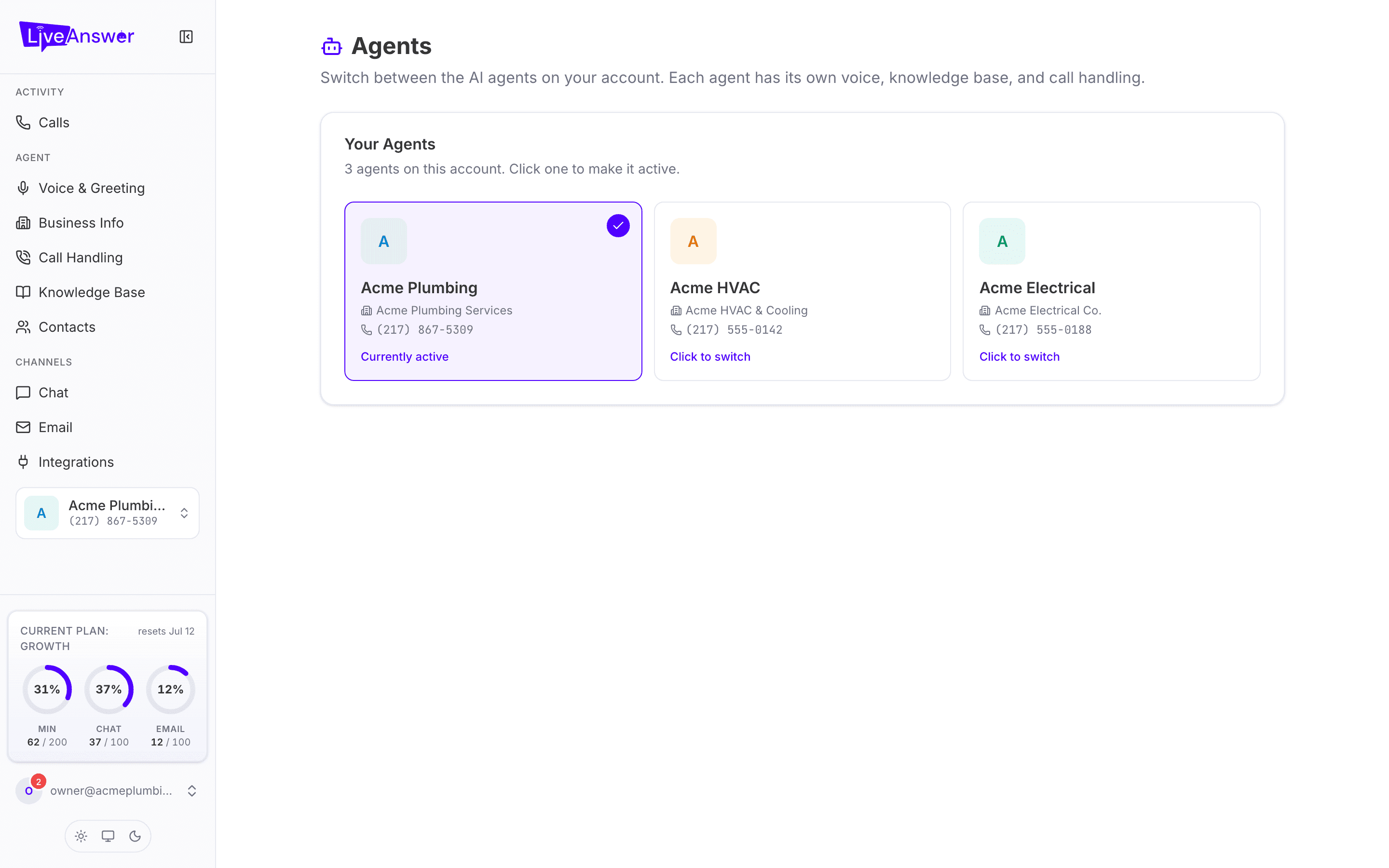
How to get there
Click the agent switcher in the sidebar, the card showing your agent's name and phone number just under the menu.
What you'll see
One card per agent, showing its name, business name, and phone number. The card with the tick and Currently active is the one you're managing right now.
Each agent has its own business photo, voice, greeting, knowledge base, contacts, and call handling. Nothing is shared between them.
Switching
Click any card marked Click to switch. The whole portal now shows that agent: the Calls page, every Agent page, and the Channels pages.
Heads up: Check the agent switcher before making changes. It's easy to edit the wrong agent's greeting when you have several that look alike.
Adding an agent
Agents are set up by your LiveAnswer provider. Contact them if you need another one.